Sort colored nuts between bolts, grouping matching colors while preserving temporary space. Some levels hide lower colors behind question marks, so reassess your plan as moving the top nuts reveals what lies beneath.
Fit the supplied colored pieces into a square grid, planning around their shapes and any fixed obstacles. Complete the board layout across successive levels, with Reset and coin-priced Hint controls available.
Relocate screws into open holes to release overlapping boards before the timer runs out. Plan the removal order, preserve usable holes and continue through the level map after completing each puzzle.
Select colored shooters for the four slots below a winding block track. Compare shooter colors and remaining counts with the blocks on the track, and plan selections around the limited slot space.
How to Play
Inspect the top nut on each bolt and locate empty space.
Tap a source bolt to select its top nut, then choose a destination permitted by the game.
Group matching colors while leaving room for nuts that still need to move.
When a question-mark nut is uncovered, check its revealed color before making the next move.
Hidden-Color Strategy
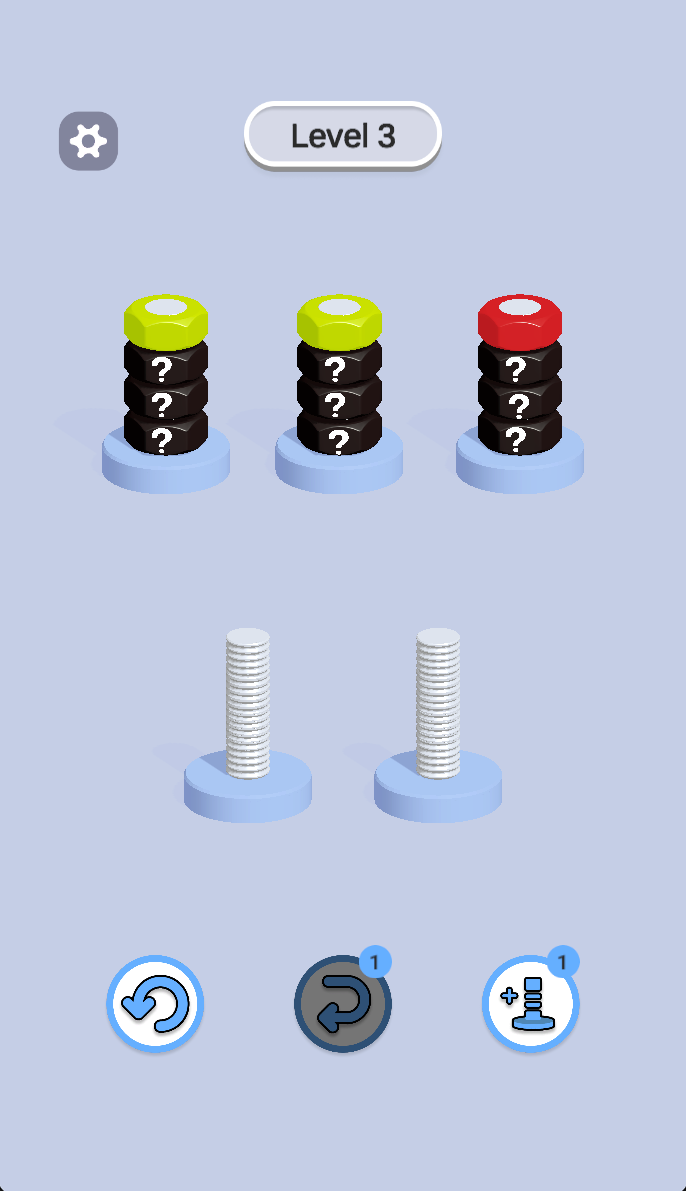
Level 3 initially shows only the top yellow, yellow and red nuts, with lower nuts marked by question marks. Moving exposed nuts reveals more colors. Avoid committing every empty bolt to a different color before you know what the hidden stacks contain.
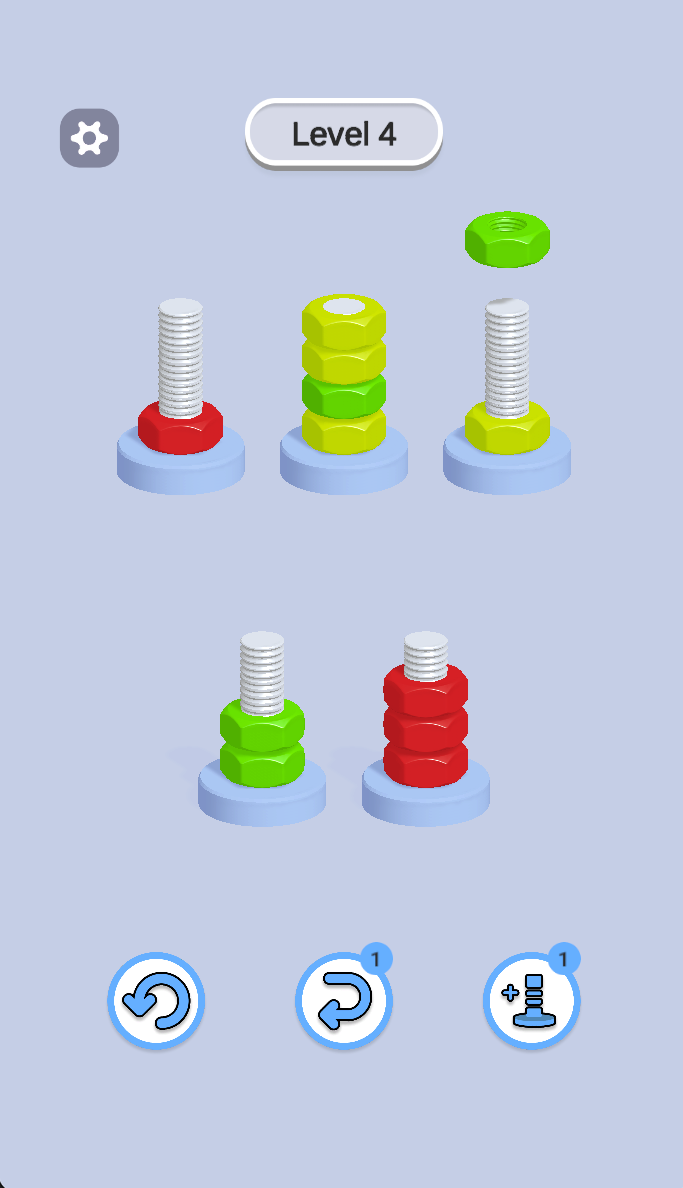
Treat an empty bolt as working space. Before filling it, consider where the next exposed nut could go. In Level 4, the captured layout contains both grouped stacks and a mixed yellow-and-green stack, so finishing one color should not leave the mixed stack impossible to rearrange.
Controls and Tools
The lower controls show restart, undo-style and add-bolt icons. The latter two display a badge of 1 in these captures. Check their current prompts, remaining uses and any costs before selecting them.
Do I move the bolts themselves?
The gameplay shows colored nuts moving between stationary bolts. The description now focuses on nut sorting rather than moving both nuts and bolts.
What do the question marks mean?
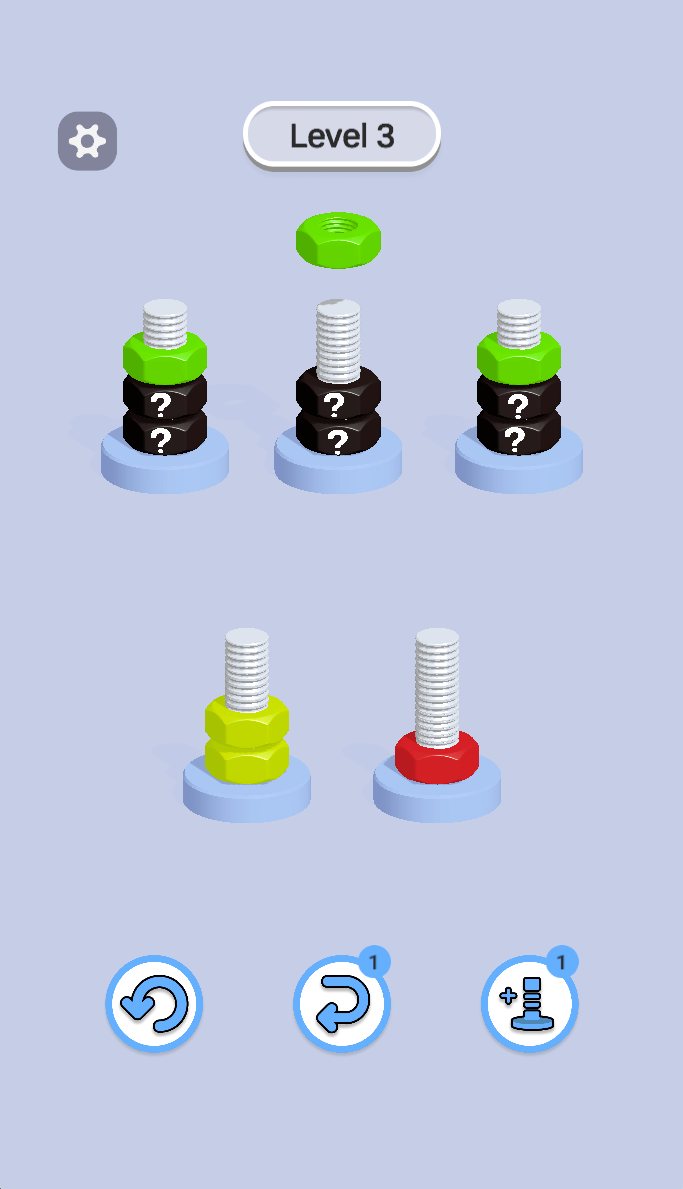
They conceal lower nut colors in the captured Level 3. The following image shows newly exposed green nuts after the upper nuts have been moved.
Screenshots & Strategies
Real browser captures · October 21, 2026
Level 3 begins with visible top nuts, question-mark nuts below and two empty bolts. Keep temporary space available while uncovering the hidden colors.After moving top nuts, green nuts are revealed and yellow and red nuts occupy the lower bolts. Reassess the layout whenever a previously hidden color becomes visible.Level 4 shows mixed and grouped stacks with a selected green nut above a bolt. Plan the destination around exposed colors and the space left on each bolt.